Introduction
When you’re running a business, you’re wearing every hat. CEO, marketer, sales rep — and often, the accountant too. But financial management doesn’t have to be overwhelming. In fact, choosing the best financial apps can turn financial chaos into clarity.
I’ve worked with dozens of business owners who struggled with spreadsheets, late invoices, and surprise tax bills. I’ve been there too. The truth is, once I embraced the right tools, I got time back, avoided costly mistakes, and felt in control. You deserve the same.
Here’s a deep dive into the best financial apps that help you take the guesswork out of money management and put more profit in your pocket.
1. Expense Tracking That’s Smart, Not Stressful
Manual expense tracking is a recipe for burnout. Between paper receipts, credit card charges, and mileage logs, things slip through the cracks fast. That’s where apps like Expensify, Zoho Expense, and Bonsai come in.
These tools allow you to:
- Snap photos of receipts and automatically categorize them.
- Set spending policies for team members.
- Sync directly with business bank accounts and credit cards.
What used to take hours now takes minutes. With everything automatically logged, you’re audit-ready year-round — not just scrambling at tax time.
💡 Pro Tip: Enable real-time expense alerts so you always know when charges hit.
2. Invoicing That Gets You Paid Faster
If you’ve ever had a client “forget” to pay, you know how critical it is to have a reliable invoicing system. Apps like FreshBooks, HoneyBook, and Square Invoices automate the entire process.
Here’s what makes these stand out:
- Send professional invoices in seconds.
- Schedule recurring invoices for retainers or subscriptions.
- Accept online payments via ACH, credit card, or PayPal.
- Auto-remind clients of past-due bills.
That awkward follow-up? Gone. You get paid on time without chasing. For me, this was a game-changer that cut overdue invoices in half.
3. Payroll That Handles the Heavy Lifting
Hiring your first employee feels exciting — until you’re stuck calculating withholdings, filing W-2s, and handling direct deposit errors. Apps like Gusto, Patriot, and QuickBooks Payroll make payroll painless.
These apps provide:
- Automated federal and state tax filings.
- Direct deposit and pay stub access for employees.
- Onboarding paperwork and benefits integration.
I personally recommend Gusto for its clean interface and unbeatable customer support. Even if you’re just paying contractors now, these tools scale with your business.
💡 Watch for compliance tools like workers’ comp insurance built-in. It’s often required and easy to overlook.
4. Accounting That Doesn’t Require a CPA License
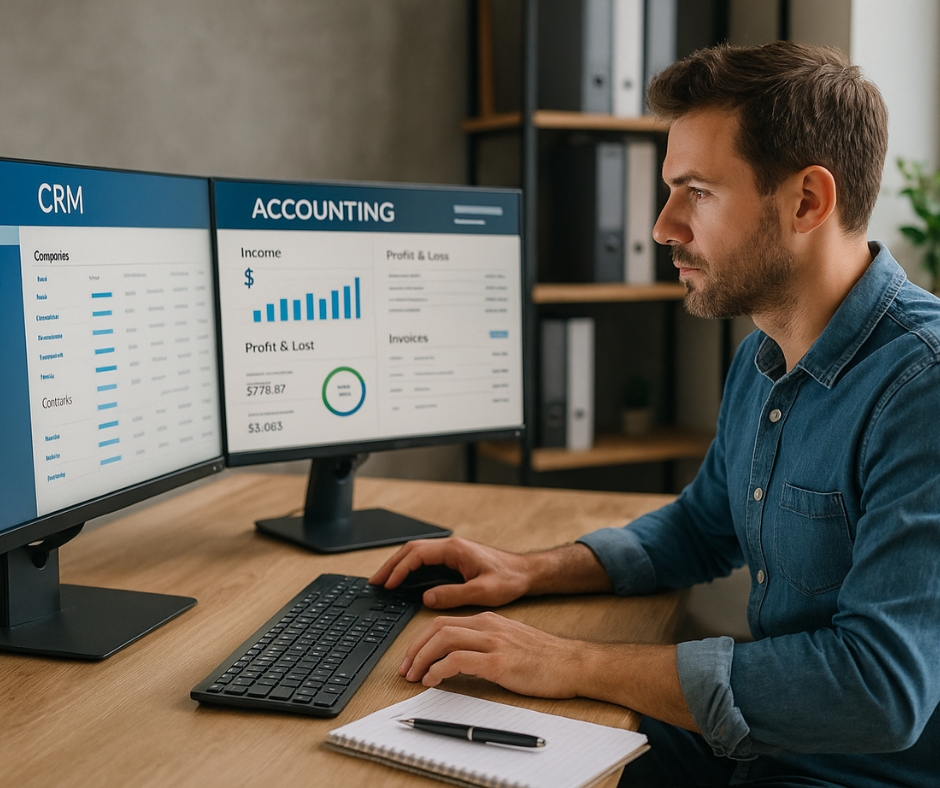
Not everyone speaks “accountant.” But modern software bridges that gap. If you’re just starting, Wave is free and surprisingly powerful. For growing businesses, QuickBooks Online, Xero, and Zoho Books offer deeper reporting and accountant-ready exports.
With these, you can:
- Track profit and loss in real time.
- Automatically reconcile transactions with your bank.
- Grant secure access to your bookkeeper or CPA.
The magic here is in automation. You won’t be manually entering every Starbucks charge — the system learns your habits and keeps everything organized.
5. Cash Flow Forecasting That Keeps You Ahead
Let’s face it — running out of cash is what sinks most small businesses. Apps like Float, Pulse, and LivePlan help you project income and expenses, spot gaps early, and plan accordingly.
These tools:
- Integrate with your accounting software.
- Visualize future cash flow using historical trends.
- Model different scenarios (what if a client pays late? what if you hire?).
When I started using forecasting, I finally stopped guessing. I knew when to save, when to invest, and when to wait. That peace of mind? Priceless.
6. Tax Prep That Doesn’t Leave You Scrambling
Come tax time, most business owners panic. I’ve seen folks try to recreate 12 months of income statements in one weekend. Don’t do that.
Use apps like Hurdlr, Keeper Tax, and TaxAct to:
- Track tax-deductible expenses automatically.
- Estimate quarterly taxes.
- Prepare documentation for your CPA or file yourself.
Some apps even send reminders for estimated payments and help track mileage. You’ll be surprised how many deductions you’ve been missing.
7. Dashboards That Tell the Story Behind the Numbers
Looking at raw numbers is like staring at static. But with tools like Fathom, LivePlan, or DataBox, those numbers come to life.
These apps let you:
- Create custom dashboards with drag-and-drop simplicity.
- Track KPIs like net profit margin, burn rate, or sales conversion.
- Visualize trends with clean charts and graphs.
Instead of digging through spreadsheets, you get a snapshot of your business health in seconds. It’s the easiest way to make data-driven decisions.
8. App Integrations That Eliminate Double Entry
Here’s where it all comes together. The best financial apps talk to each other. Whether it’s syncing your CRM with your accounting tool or automating invoice creation from project management tools, integration is a time-saver.
Look for:
- Native integrations (like Stripe to QuickBooks).
- Automation tools like Zapier or Make that connect apps with custom triggers.
One of my favorite automations: when I close a client project in Trello, it auto-generates an invoice in FreshBooks. It’s magic.
9. Bank-Level Security and Privacy Controls
Don’t put your financial data at risk. Always use apps that:
- Offer two-factor authentication (2FA).
- Are SOC-2 or ISO certified.
- Encrypt your data end-to-end.
I always check the company’s track record and data storage policies before I connect any bank accounts. Your finances are too important to trust to a questionable app.
10. Support That’s Actually Helpful When You Need It
Last but not least: customer service. It’s easy to ignore until something breaks. When choosing financial apps, make sure:
- Support is available by chat, email, or phone.
- There’s a knowledge base or help center.
- Reviews mention fast and helpful responses.
When your payroll stalls or your dashboard won’t load, waiting two days for an email reply just won’t cut it.
Final Thoughts
The best financial apps don’t just save time — they give you control. They make your business more resilient, more transparent, and more profitable. Start by picking one area — maybe invoicing or cash flow — and build from there.
The goal isn’t to be perfect. It’s to make steady improvements that compound over time. And trust me, once you start using the right tools, you’ll wonder how you ever lived without them.